Is ONE PIECE: Grand Gourmet on Google Play?
ONE PIECE: Grand Gourmet is available on Google Play, bringing Kairosoft’s restaurant management game to Android. You help the Straw Hat Crew develop Baratie Number Two from a small restaurant ship into a popular destination for hungry visitors. Before downloading, check that you have found the correct game and review the purchase and compatibility information displayed for your device.
Bandai Namco’s official game page lists Google Play among the supported platforms and marks the game as available now. Its European launch announcement gives October 23, 2026, as the release date. Bandai Namco Entertainment Asia advertised October 22 for mobile and Nintendo platforms, so the announcements reflect different regional schedules.
| Detail | Confirmed information |
|---|---|
| Android distribution | Google Play |
| European release date | October 23, 2026 |
| Mobile date advertised by Bandai Namco Asia | October 22, 2026 |
| Developer | Kairosoft |
| Genre and supported mode | Management simulation; single-player |
Your regional listing remains the practical place to check whether you can download the game.
How to find the Android version
Open Google Play on the Android device you intend to use and search for ONE PIECE: Grand Gourmet. Identify it by its restaurant setting, pixel art, and Kairosoft development credit. The central activity is operating a floating restaurant with the Straw Hat Crew, including preparing dishes with Sanji and welcoming characters as customers.
Use this sequence before installing:
- Search the complete title. Include “Grand Gourmet” so you can distinguish it from other ONE PIECE releases.
- Check the game description. Look for Baratie Number Two, restaurant management, cooking, and decorating.
- Compare the details with Bandai Namco’s official page. Kairosoft is the developer, but do not assume the store’s publisher field must use the same name.
- Review the download or purchase screen. Check compatibility and any displayed payment terms before proceeding.
- Install through the listing available to your account. Launch the game and read any trial or purchase explanation shown inside it.
Bandai Namco’s website also lists Nintendo Switch, Nintendo Switch 2, Steam, and the App Store. If a purchase selector takes you to a console or PC retailer, return to the Android store and verify the platform before buying.
If you cannot find the game, compare the title carefully and check whether Google Play displays an availability or compatibility message. An official Android release announcement does not guarantee that every device or regional account can access the same listing.
Price, trial access, and compatibility
Check the amount and purchase terms displayed by Google Play before deciding to play. A free initial download, if offered, should not be treated as proof that the entire game is free. Likewise, a price reported for the App Store does not establish the Android price in your region.
Launch discussion on the Kairosoft subreddit includes an Android player reporting a 60-minute demo after pre-installing. Another player describes trying a free hour. These are player reports, so check the offer shown on your device rather than expecting identical access for every account.
| Item to check | What is established |
|---|---|
| Android purchase price | Check the amount displayed for your Google Play account |
| Trial access | An Android player reported a 60-minute demo after pre-installing |
| Device compatibility | Bandai Namco warns that some devices may be incompatible |
| Connection costs | Bandai Namco states that users are responsible for data charges |
If a trial is available, use it to judge the practical experience: whether text is comfortable to read, menus are easy to navigate, and restaurant placement feels manageable on your screen. Those details matter in a game that asks you to switch between cooking, furnishings, staff, and exploration.
Do not use the single-player label as evidence of offline support. Offline play has not been officially confirmed. Minimum Android version, storage requirements, and any purchase restrictions should be checked on the current listing before installation.
What you do aboard Baratie Number Two
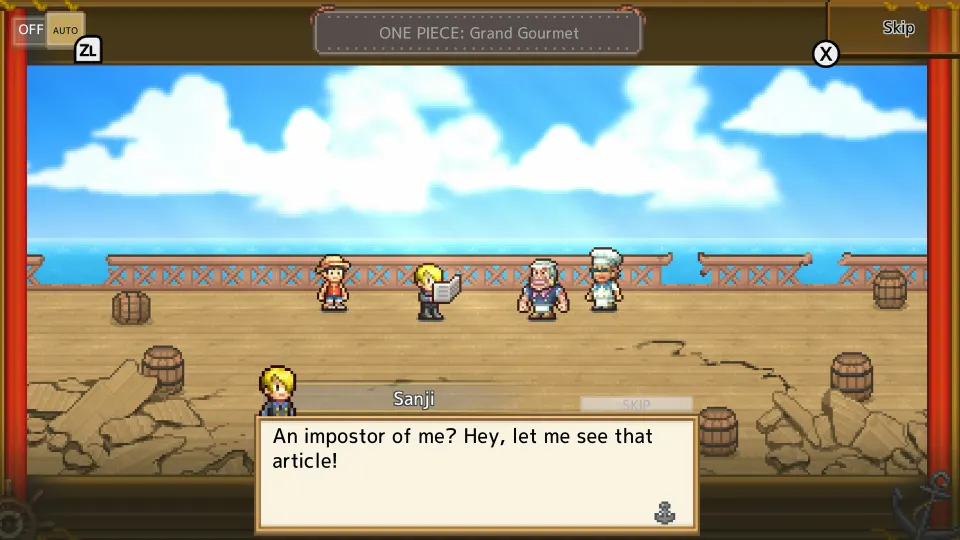
Grand Gourmet centers on building a restaurant with the Straw Hat Crew. Its story involves an imitation Baratie damaging the original restaurant’s reputation, giving your culinary journey a rival to overcome. You begin with a modest ship and expand its food selection, facilities, and customer base as the adventure continues.
The official launch announcement describes playing as a rookie staff member who helps run the restaurant. Sanji handles the cooking, while familiar characters appear throughout the business and its surrounding adventures.
| Activity | How it contributes to the restaurant |
|---|---|
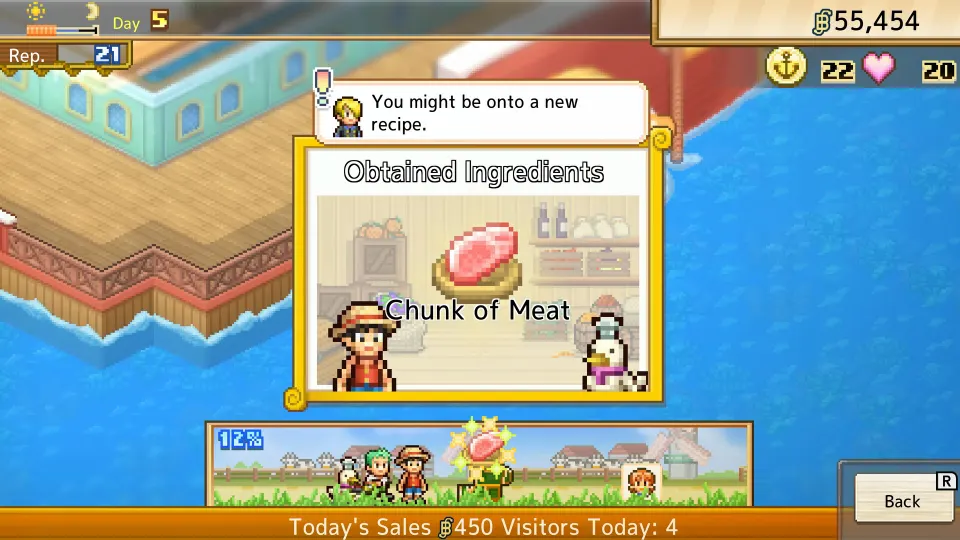
| Collect ingredients | Supplies the kitchen for making dishes and discovering recipes |
| Develop dishes with Sanji | Expands the food you can offer visitors |
| Assemble meal sets | Combines dishes into menus for customers |
| Add furniture and decorations | Personalizes the ship and can appeal to particular characters |
| Welcome returning visitors | Builds a following and creates opportunities for character interactions |
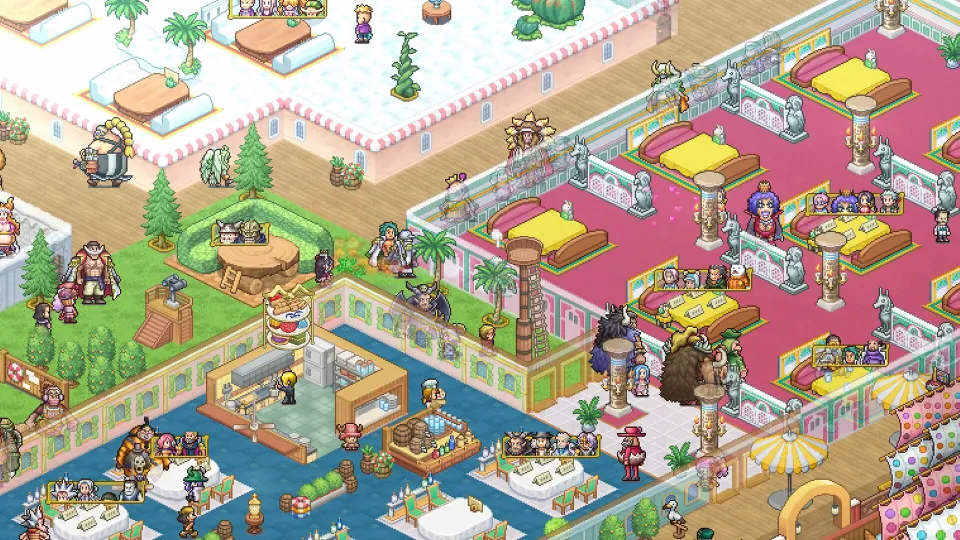
Bandai Namco advertises more than 400 characters appearing as staff and customers. Familiarity with ONE PIECE adds context to their visits, but the everyday decisions revolve around food, restaurant development, and managing the space aboard your ship.
Customization includes more than 200 furniture, building, and decorative items. Whole Cake Island and Egghead inspire some of the available designs. Characters who like your restaurant’s appearance may become regular customers.
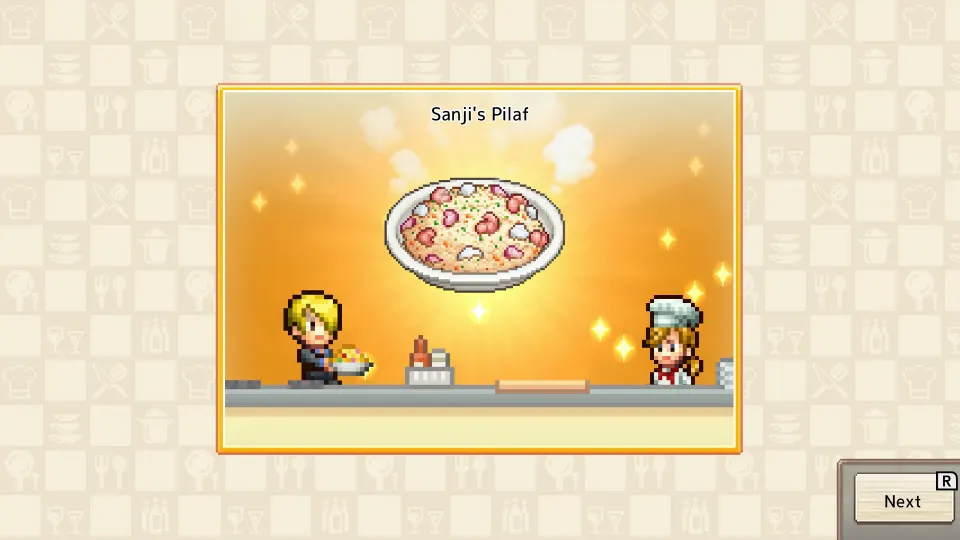
The menu also draws directly from the series. Examples include Water-Water Meat BBQ, Sea King Penne Gorgonzola, and dishes inspired by Devil Fruit powers. Discovering more recipes gives you additional ways to develop the restaurant beyond simply adding more tables.
Getting started on Android
Once you have access to the game, learn its main activities gradually. Early player impressions describe a busy opening with several systems competing for attention, so a useful starting routine is to alternate kitchen work, exploration, and restaurant improvements.
The crew’s responsibilities help explain where different upgrades come from. A gameplay review describes these roles:
| Crew member | Reported contribution |
|---|---|
| Sanji | Prepares food and develops dishes |
| Luffy and the exploration crew | Travel to locations that provide ingredients, items, and potential visitors |
| Franky | Creates furnishings and expands the ship’s usable space |
| Zoro | Trains Straw Hat members so they can develop further |
| Nami | Provides financial help and negotiates discounts on amenities |
Treat these roles as a way to organize your next task. If you need ingredients, investigate exploration. If you need more room, look at the ship’s development options. If an expedition reward requires a stronger crew member, training becomes relevant.
For your first sessions:
- Keep exploration in your routine. It supports cooking by bringing back ingredients and can introduce additional visitors and useful items.
- Develop recipes alongside the restaurant. More seating alone does not expand the dishes you can offer customers.
- Leave room for changes. Players report that the building area becomes crowded quickly, making an understandable layout helpful while learning.
- Read costs before adding facilities or staff. The gameplay review describes recurring expenses, so consider ongoing costs alongside the initial purchase.
- Check dialogue settings if text moves too quickly. Players discuss automatic text advancement, though reports about controls and behavior differ between platforms.
Avoid transferring a reported Switch button shortcut directly to Android. Look for the corresponding setting in your version’s menus.
If you have trial access, concentrate on these ordinary tasks before spending the session perfecting decorations. Cooking, navigating menus, and arranging facilities will tell you more about whether the game suits your phone and preferred pace.
FAQ
Where should I look for the official Android download?
When searching for one piece grand gourmet google play, match the result to the full title and its floating-restaurant description. Cross-check the game against Bandai Namco’s official website, then review the Google Play listing available to your account.
Is the full game free on Google Play?
Do not assume that it is. Players have reported trial access, including a 60-minute Android demo after pre-installing. Check the listing and any in-game purchase screen for the terms of full access.
Why do announcements list both October 22 and October 23?
Bandai Namco Entertainment Asia advertised October 22, 2026, for mobile and Nintendo platforms. The European announcement lists October 23, 2026, including Google Play. These are different regional announcements; check your store for access in your location.
Is it included with Google Play Pass?
Google Play Pass inclusion has not been officially confirmed. Check the listing for an explicit Play Pass offer before expecting access through a subscription.
Can I play offline or with friends?
The official game page lists single-player support. Offline play and multiplayer functionality have not been officially confirmed. Single-player describes the supported mode and does not, by itself, establish whether an internet connection is required.
Do I need to know ONE PIECE to enjoy it?
Knowing the characters helps you recognize references and appreciate their interactions. The main activities are restaurant management: collecting ingredients, developing recipes, furnishing the ship, and serving customers. Those tasks give newcomers a clear foundation even when individual visitors are unfamiliar.